BMEtoolbox fits when
- you want to carry out a supported task yourself.
- you can assess the result and process it further on your own.
- you do not need an expert-reviewed report.
Self-service software for BMEcat
Use BMEtoolbox to open, validate and convert supported BMEcat files yourself.
The BMEtoolbox website opens on an external information page.
The product website lists the specific features, supported formats and usage limits. Usage is billed through BMEtoolbox’s credit model.
BMEtoolbox
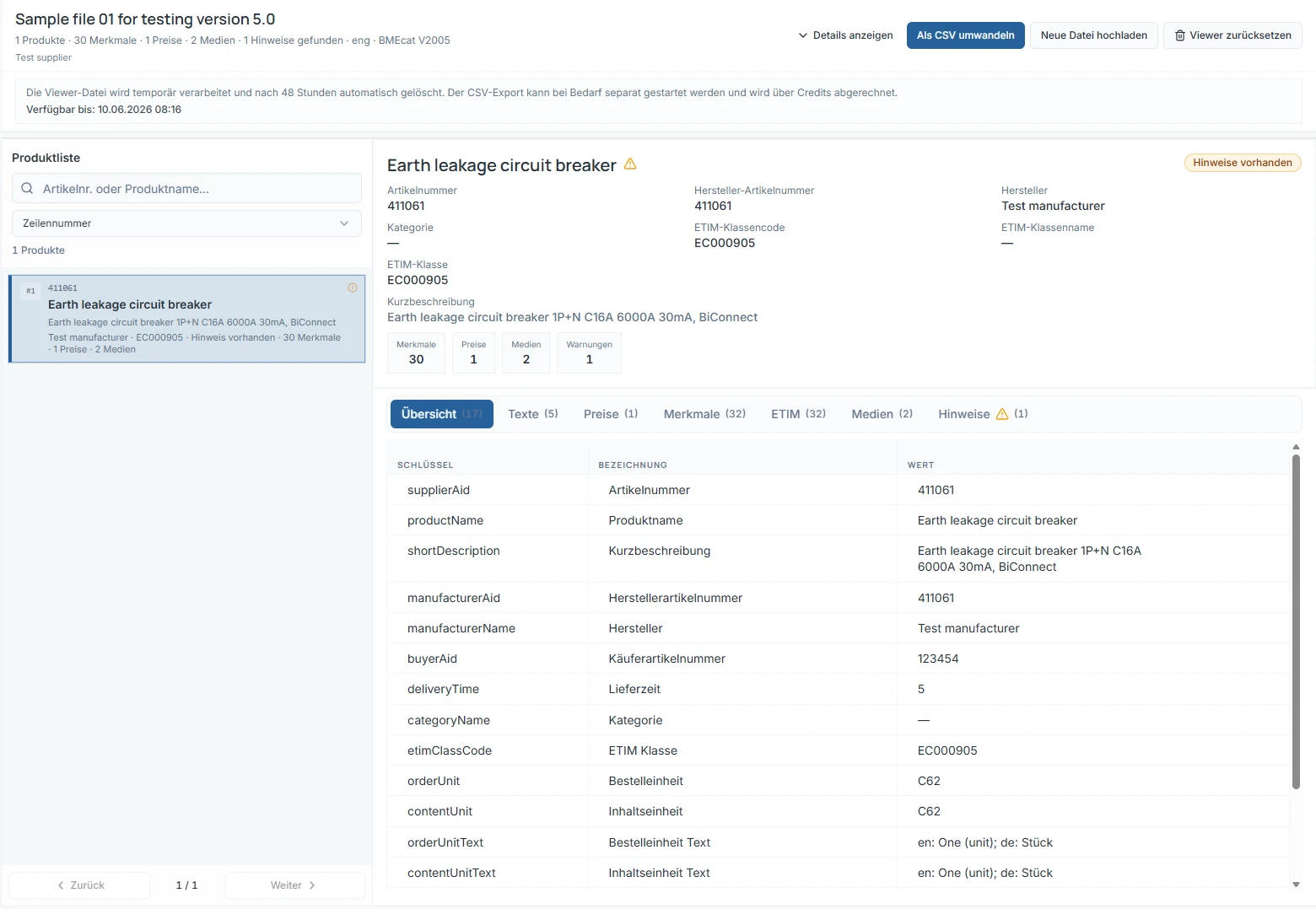
The product view shows a sample catalogue with a product list, details and feature values.
BMEtoolbox does not replace recipient-specific validation, data correction or a custom integration. A software result does not automatically constitute approval or certification by a distributor, data pool or platform.
BMEtoolbox does not replace an ERP or PIM system.
No. BMEtoolbox is self-service software. Registration, available tools, credits and current limits are listed directly on the product website.
No. The quality analysis is a separate expert service at a fixed price. It is not billed through BMEtoolbox credits.
No. Recipients may apply additional or customer-specific rules. Validation against a specific recipient’s requirements must be agreed separately.
Self-service software for BMEcat
Open BMEtoolbox and choose the right tool for your file.
The BMEtoolbox website opens on an external information page.